Frogger
A Frogger Game: Traffic
Can you get poor frogger across the street without being hit by a vehicle?

Things that need to be done:
- Make a background scene.
- Create 7 turtles: t1, t2, t3, t4, t5, t6, t7.
- Give them shapes.
- Place them on the road.
- Have some face east and some face west.
- Now animate t2 through t7.
The procedure setup sets the direction of the road turtles. The
play procedure calls on setup. play also makes testtouch and
move run for the length of the game and also gets the turtles to run
until the game is over.
Procedures
to setup
ask [t2 t5 t6 ] [seth 270]
ask [t3 t4 t7] [seth 90]
end

to play
setup
forever [testtouch]
forever [t1, move]
forever [ask [t2 t3 t4 t5 t6 t7] [fd 1]
end
The following procedure which play runs forever checks on whether the
frogger turtle has collided with any of the others. If it has, gohome
sends the frogger to its starting place.
to testtouch
if touching? "t1 "t2 [t1, gohome]
if touching? "t1 "t3 [t1, gohome]
if touching? "t1 "t4 [t1, gohome]
if touching? "t1 "t5 [t1, gohome]
if touching? "t1 "t6 [t1, gohome]
if touching? "t1 "t7 [t1, gohome]
end

to gohome
t1, setpos [-35 -170]
end
The last two procedures allow you to control frogger from the keyboard. An explanation of how move works is found here.
to move
move1 ascii readchar
end
For Macs
to move1 :key
if :key = 28 [seth 270 fd 5]
if :key = 29 [seth 90 fd 5]
if :key = 30 [seth 0 fd 5]
if :key = 31 [seth 180 fd 5]
end
For PCs
to move1 :key
if :key = 37 [seth 270 fd 5]
if :key = 39 [seth 90 fd 5]
if :key = 38 [seth 0 fd 5]
if :key = 40 [seth 180 fd 5]
end
A Frill-less Frogger
The rules of the game remain the same. The object of the game is to get one turtle to cross strip of hazards safely. If your turtle collides with another it immediately is sent back to where it started. You control the turtle from the keyboard using arrow keys. The cross strip is full of large turtles moving in both directions. Your job is to avoid the big turtles.
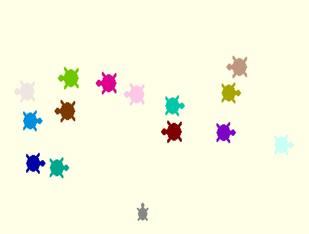
You can make the game more challenging by adding more turtles or making the big ones go faster. You could also add a background. I changed Traffic by taking away the background and adding more turtles. I played around a bit with speed, but you can try your own additions.
Here are the procedures.
setup sizes the big turtles, colors them and heads half of them east
and the other half west.
to setup
ask [t2 t3 t4 t5 t6 t7 t8 ] [seth 270 setsize 80 setc random 256]
ask [t9 t10 t11 t12 t13 t14 t15] [seth 90 setsize 75 setc random 256]
ask [t2] [gohome]
end
play and testtouch are the same as for the previous Frogger except it
includes more turtles.
to play
setup
forever [testtouch]
forever [t1, move]
forever [ask [t2 t3 t4 t5 t6 t7 t8 t9 t10 t11 t12 t13 t14 t15] [fd 4]]
end

to testtouch
if touching? "t1 "t2 [t1, gohome]
if touching? "t1 "t3 [t1, gohome]
if touching? "t1 "t4 [t1, gohome]
if touching? "t1 "t5 [t1, gohome]
if touching? "t1 "t6 [t1, gohome]
if touching? "t1 "t7 [t1, gohome]
if touching? "t1 "t8 [t1, gohome]
if touching? "t1 "t9 [t1, gohome]
if touching? "t1 "t10 [t1, gohome]
if touching? "t1 "t11 [t1, gohome]
if touching? "t1 "t12 [t1, gohome]
if touching? "t1 "t13 [t1, gohome]
if touching? "t1 "t14 [t1, gohome]
if touching? "t1 "t15 [t1, gohome]
end
The gohome and the move procedures are the same.
to gohome
t1, setpos [-35 -170]
end

to move
move1 ascii readchar
end

to move1 :key
if :key = 28 [seth 270 fd 5]
if :key = 29 [seth 90 fd 5]
if :key = 30 [seth 0 fd 5]
if :key = 31 [seth 180 fd 5]
end